
How to access aman on your device
Choose your aman access method
We offer three ways to play on aman depending on your device and preference:
Android app installation steps
Installing the aman Android app takes about two minutes:
- Download the APK. Visit our website or app page and tap "Download aman Android app" to save the APK file to your phone.
- Enable unknown sources. Go to Settings > Security and toggle "Unknown sources" or "Install unknown apps" to allow installation from sources outside Google Play.
- Install the app. Open your file manager, find the aman APK, and tap it. Follow the on-screen prompts to complete installation.
- Launch and register. Tap the aman icon on your home screen, create an account using your email and password, then complete KYC verification before your first withdrawal.

iOS access via browser and home screen
iOS users do not need to install an app from the App Store. Instead, access aman through Safari or Chrome and add it to your home screen for a native-like experience. Open Safari, visit aman.bet, tap the Share button, select "Add to Home Screen," and give it a name. The shortcut will appear on your home screen just like an app, giving you instant access to your account, Liga 1 betting, live dealers, and Piala AFF markets.
This method avoids app-store restrictions and gives you the same push notifications and fast performance as a traditional app. Your login session persists, so you stay signed in between visits—just like on Android.

App vs. browser: when to use each
The aman app and web browser offer different strengths. Our Android app loads faster, handles offline caching so you can view your game history without internet, sends push notifications for deposits and withdrawals, and uses slightly less battery than continuous browser refreshing. The web version works on any device without installation and updates automatically—no manual app updates needed. For most users, the app is best for frequent play and notifications; the browser works well for occasional access or when you prefer not to install software. Both access the same games, markets, and account balance in real time.
Device compatibility
Our aman app requires Android 7.0 or higher. iOS users need iOS 12 or higher to access our browser-based platform smoothly. If your device is older, try the web version in a current browser (Chrome, Safari, Firefox, or Edge). Most phones from the last five years meet these requirements. If you have questions about your device, contact our support team and we can advise whether your phone will work well with aman.
Troubleshooting common install issues
If the Android app won't install, the most common cause is that "Unknown sources" is disabled in your Security settings. Enable it, then try again. If you see a "certificate untrusted" warning, that usually means your phone's date and time are incorrect—go to Settings > Date & Time, ensure it is set automatically, and retry. If the app crashes on launch, try clearing the app cache (Settings > Apps > aman > Storage > Clear Cache) or reinstalling. For iOS users, if the home-screen shortcut doesn't work, clear your Safari cookies (Settings > Safari > Clear History and Website Data), reload our website, and add to home screen again. If problems persist, our support team can help diagnose the issue.
App permissions and account security
When you install the aman Android app, it may request permission to send notifications, access your camera (for KYC identity verification), and use your storage. We use the camera only when you upload your ID photo and selfie during account verification—we never access your contacts, photos, or messages. Notifications alert you about deposits, withdrawals, and game results; you can disable them anytime in app settings. We encrypt your login credentials and never store your password in plain text. Your account data is protected by HTTPS encryption, so even on public WiFi, your login and transactions stay private. Two-factor authentication via SMS is available if you want extra security—enable it in your profile settings.
Data usage and mobile optimisation on aman
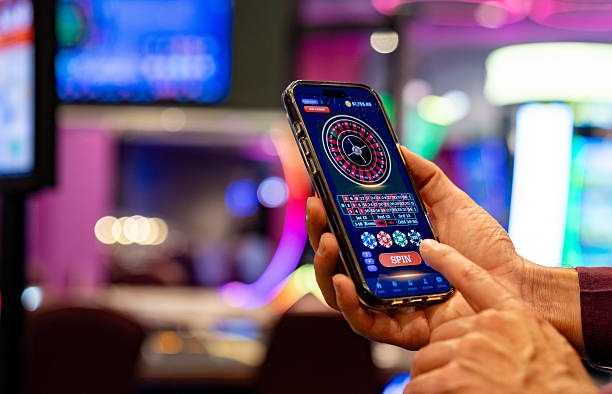
Our app compresses images and limits video quality on slower connections, so you use less data while playing. If you're on a limited plan, enable "Low Data Mode" in your app settings to reduce background sync. Game streams from our live dealers (blackjack, roulette, Dragon Tiger studios) adapt quality based on your connection speed, so you stay connected even on 4G without burning through your monthly allowance.